# Adding a New Challenge
### Guide to Using the "Challenges" Tab on the DBR77 Platform
The option to add a new challenge is available to users with an Investor account, representing production companies looking to implement a project in their facility. Integrator accounts can access the challenges overview to find current requests from investors (production companies) directed at technology providers.
#### Navigating to the "Challenges" Tab
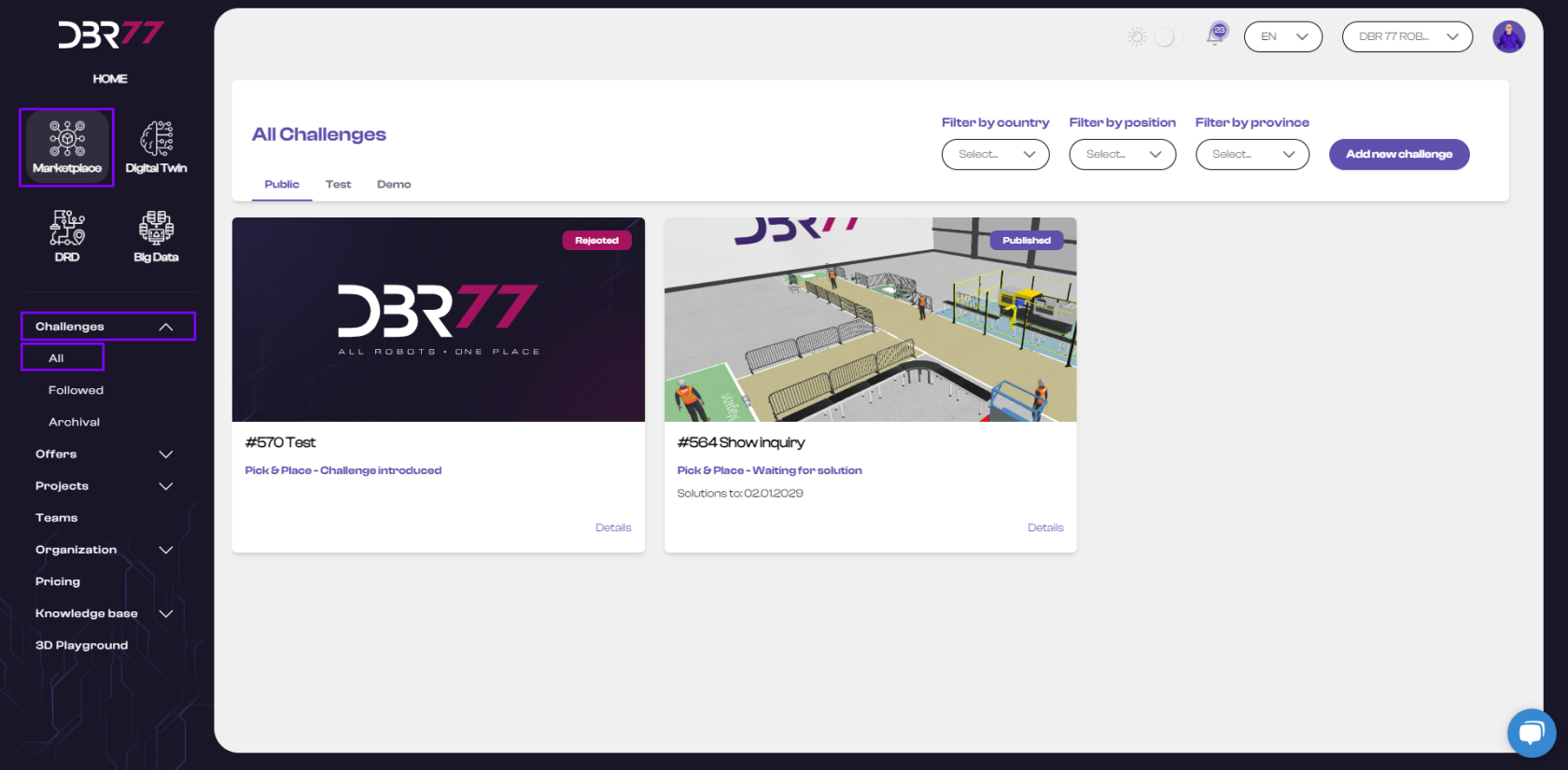
- Select Marketplace from the product menu on the DBR77 platform.
- Click on the Challenges tab and choose All to view available challenges.
[](https://learn.dbr77.com/uploads/images/gallery/2024-07/DcXvPgeDzPmiUVQ9-image.png)
#### Adding a New Challenge
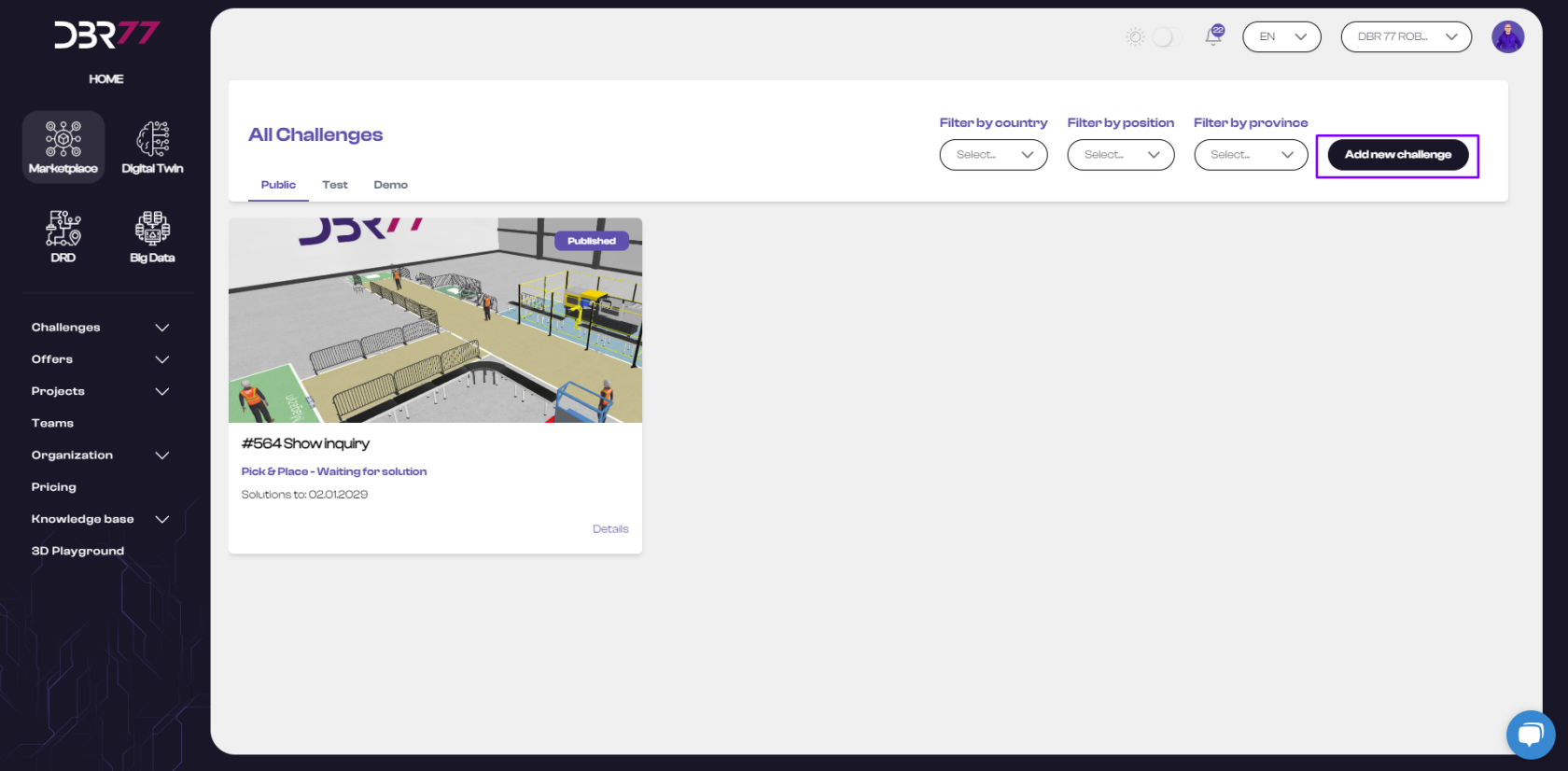
- Click the Add New Challenge button.
[](https://learn.dbr77.com/uploads/images/gallery/2024-07/gHsGaNugPYbNwthW-image.png)
#### Steps to Complete the Challenge Form
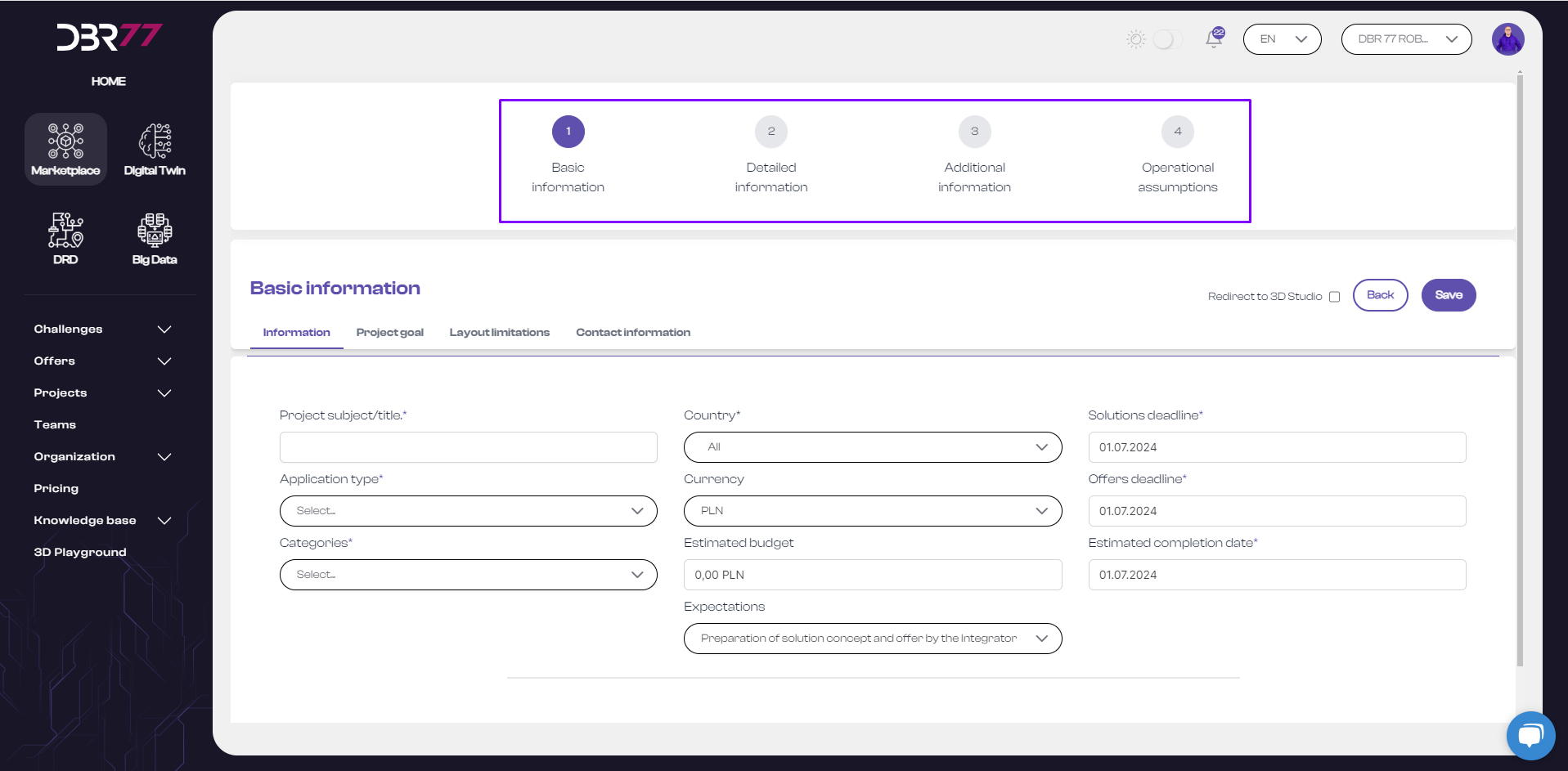
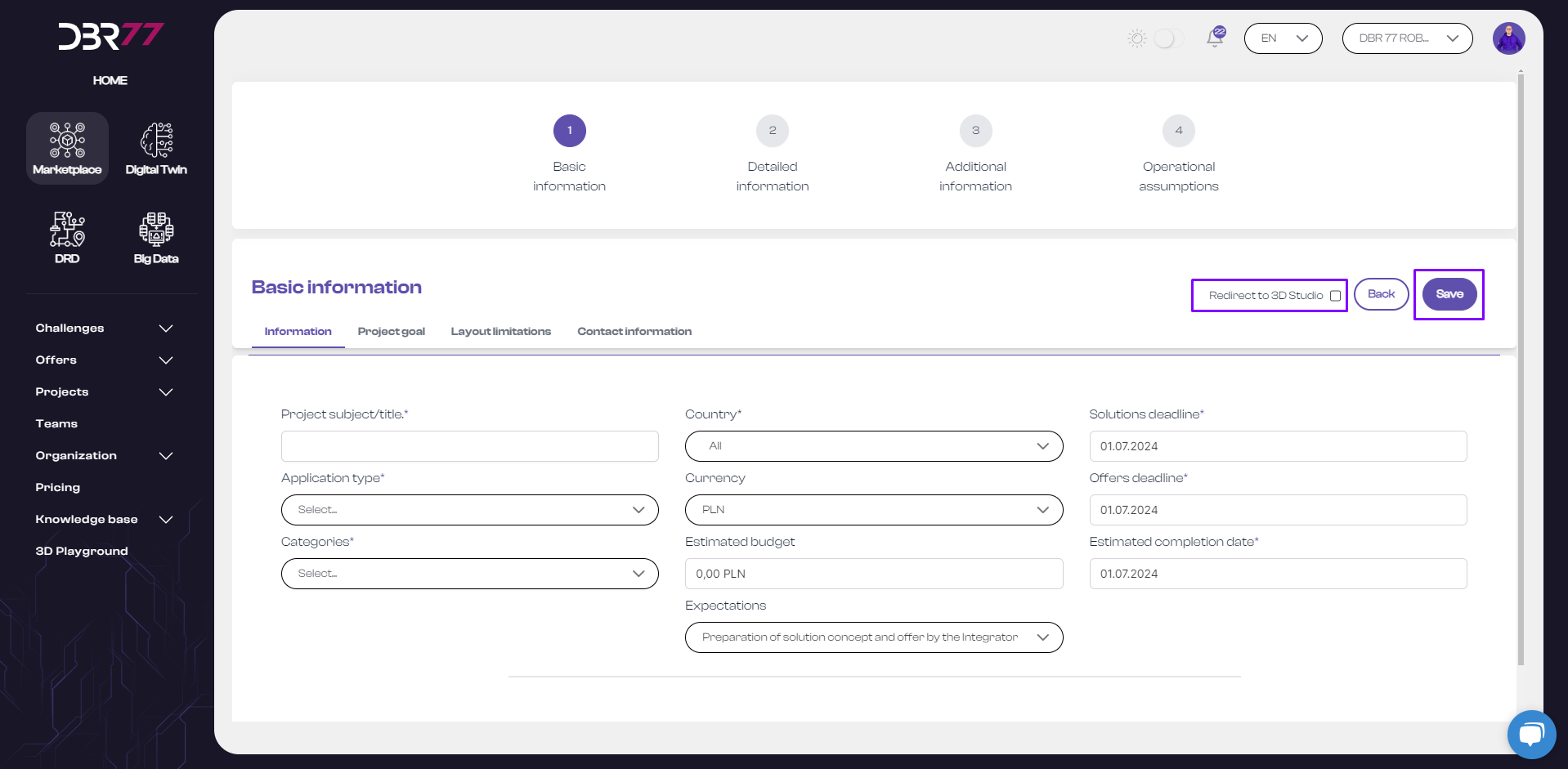
The form consists of four steps, which must be completed in sequence to create a comprehensive request:
#### Step 1: Basic Information
- Includes: General project information, project goal, layout constraints, and contact details.
#### Step 2: Detailed Information
- Includes: Description of the current/planned process.
- Product details.
- Current/desired cycle times.
- Existing machinery to be used at the new location.
#### Step 3: Additional Information
- Includes: Preferred suppliers.
- Remote access options.
- Data storage preferences.
- Other relevant information.
- Option to upload files.
#### Step 4: Operational Requirements
- Includes a form outlining the operating conditions of the production site.
[](https://learn.dbr77.com/uploads/images/gallery/2024-07/eexB2XkjmuD3X5UC-image.png)
#### Navigation Between Steps
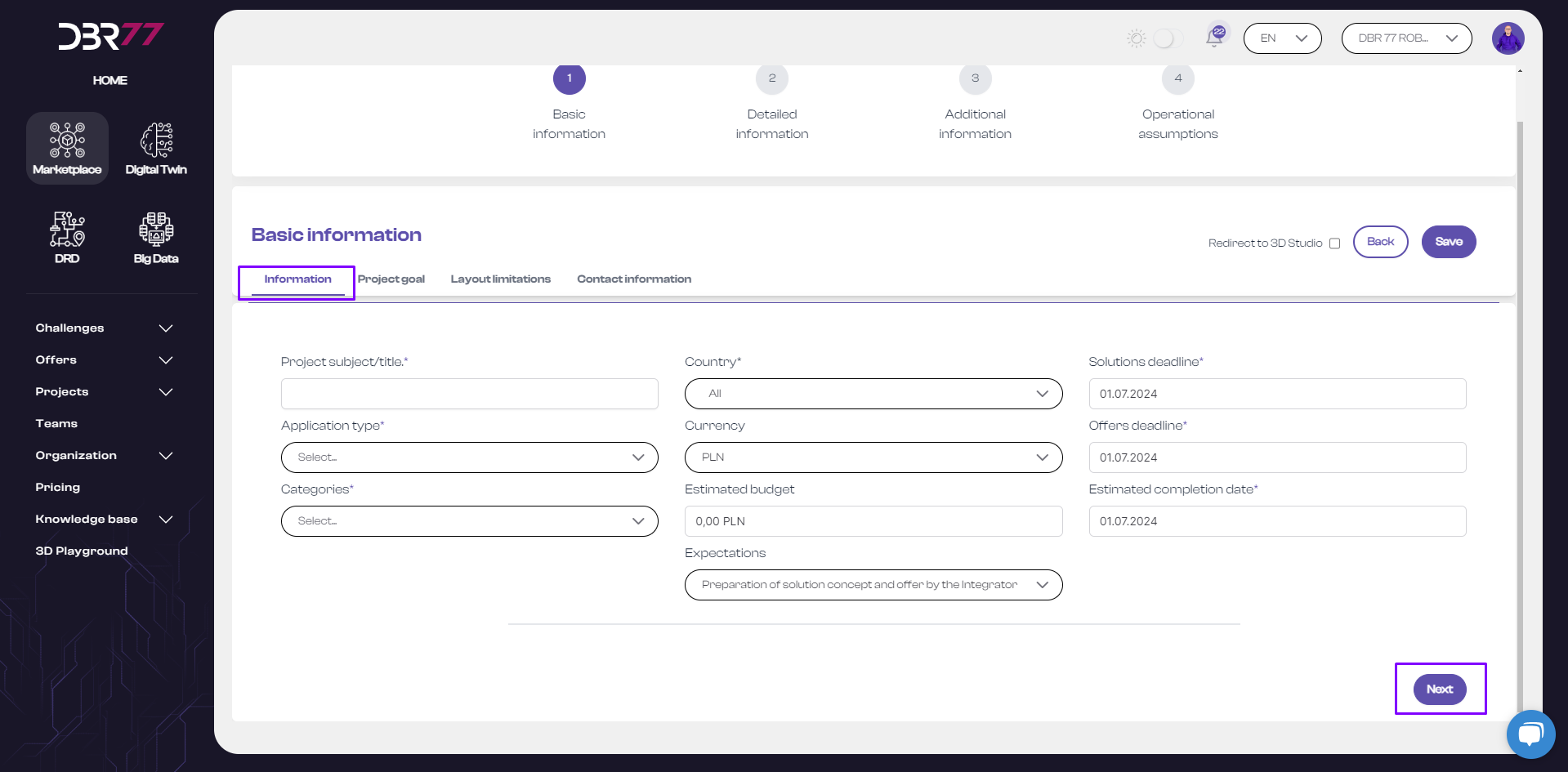
- Move between steps using the Next button or by selecting the appropriate tab with your mouse.
[](https://learn.dbr77.com/uploads/images/gallery/2024-07/fYi2uIFbojQ3tCuX-image.png)
#### Additional Features
- Descriptive Section: Add links to videos and images, and customize fonts to enhance the presentation.
- File Uploads: Upload files in Step 3 or any other step.
- Switch to 3D Studio: After saving the challenge, you will be redirected to the 3D Studio, where you can create visualizations and animations of the current state of the production line/workstation or propose solutions.
[](https://learn.dbr77.com/uploads/images/gallery/2024-07/BTNHnHiw5g6qDPjT-image.png)
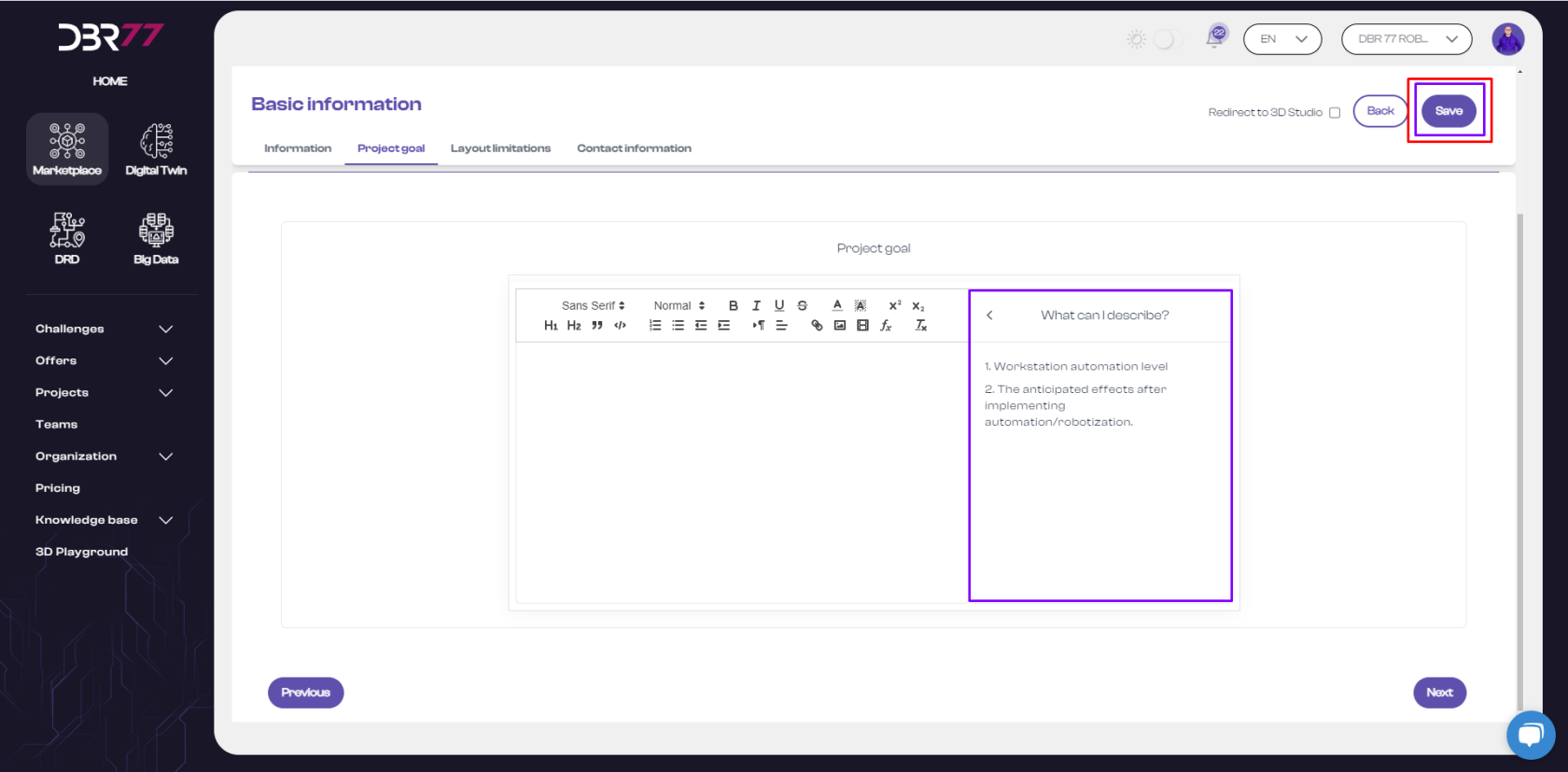
- Each tab in the challenge form contains helpful notes to guide you in creating a complete request and ensuring that all critical information is included.
[](https://learn.dbr77.com/uploads/images/gallery/2024-07/pJKI4mal5fH5k4bp-image.png)
**Important**: Remember to save your challenge before leaving the form to avoid losing any entered data.