# Solutions
# List of Solutions
### Instructions for Using the "Solutions" Tab
### **Browsing Solutions**
1. **Access the Marketplace**:
Go to the product menu on the DBR77 platform and select the "Marketplace."
2. **Navigate to "Solutions"**:
Click on the "Solutions" tab.
3. **Choose an Option**:
Select one of the two available options:
- **All**
- **Archived**
[](https://learn.dbr77.com/uploads/images/gallery/2024-09/Sde5TjC9NV026YtM-zrzut-ekranu-2024-09-30-o-10-41-26.png)
### **User Panel Overview**
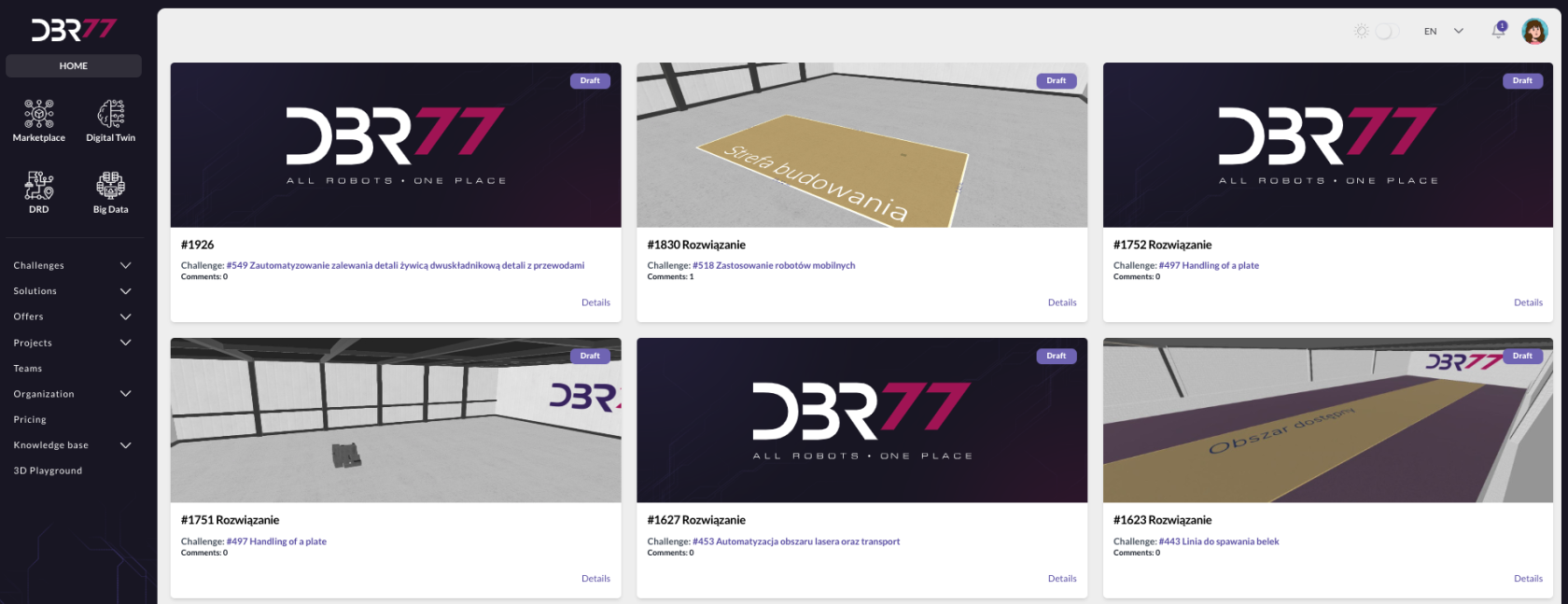
The main screen displays the user panel of the DBR77 platform, listing:
- Solutions published by the user.
- Solutions related to the user's projects.
### **Solution List Overview**
The central area shows a list of solutions, including:
- **Solution Number**:
Example: #1926, #1830, along with the associated challenge (e.g., #549, #518).
- **Solution Status**:
Current status of the solution.
- **Comments**:
The number of comments for each solution is displayed.
### **Accessing Solution Details**
Each solution includes a **"Details"** button, which provides access to detailed information about the specific solution.
# Adding a New Solution
# Editing a Solution
# Solution Details
### **Instructions for Viewing Solution Details on the DBR77 Platform**
### **Navigate to the "Solutions" Tab**
1. **Access the Marketplace**: Go to the product menu on the DBR77 platform and select the **"Marketplace"**.
2. **Open the "Solutions" Tab**: Click on the **"Solutions"** tab and select **"All"**.
3. **Select a Solution**: Choose a solution from the list and click on **"Details"**.
[](https://learn.dbr77.com/uploads/images/gallery/2024-09/0JOktd1XbHzQ15VU-zrzut-ekranu-2024-09-30-o-10-57-55.png)
### **Solution Detail View**
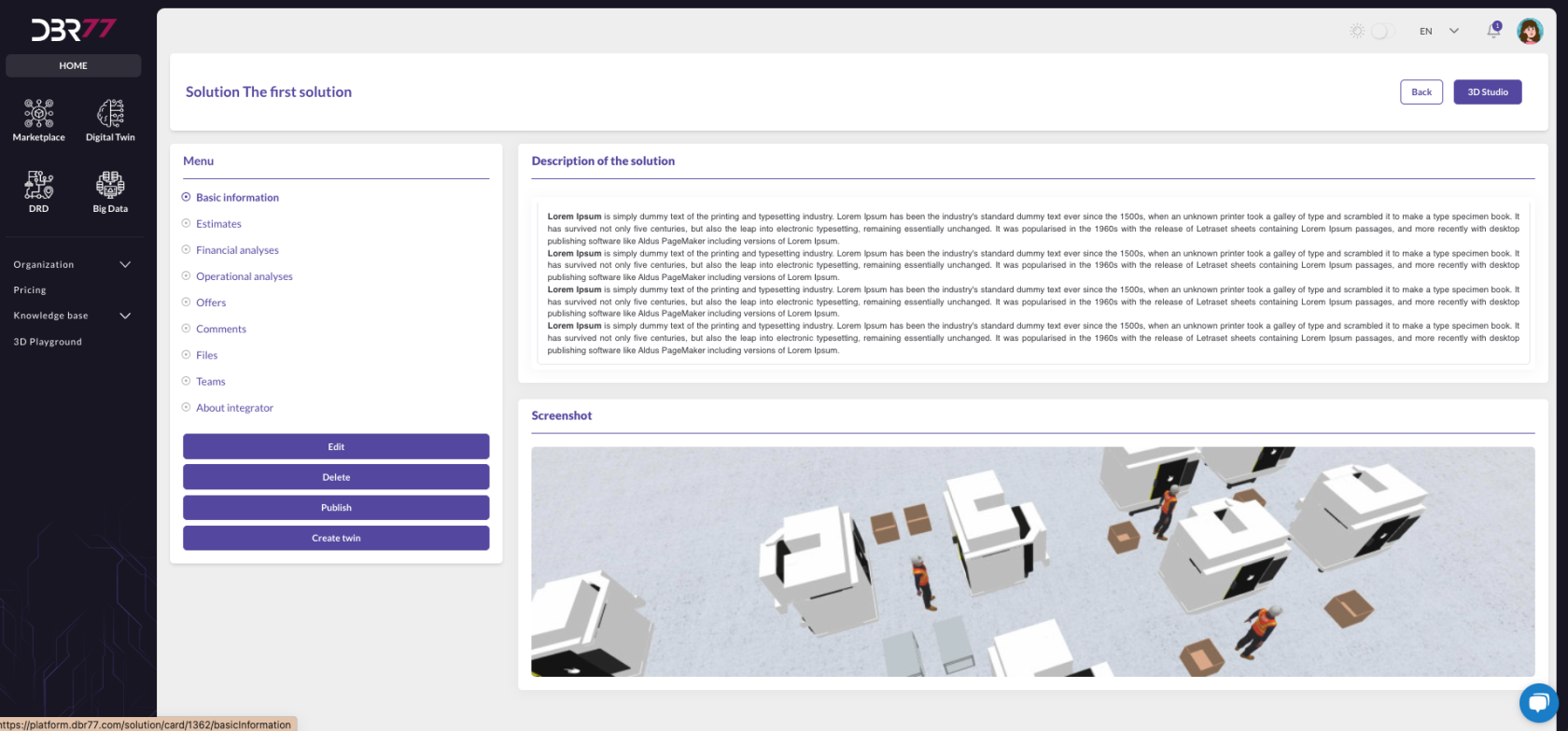
The detail view for the solution, such as *"The First Solution"*, is displayed in the main area of the DBR77 platform.
#### **Main Area Layout**
The main area is divided into two panels:
1. **Solution Description**: A text field containing the solution's detailed description.
2. **Screenshot**: Below the description, a visualization or simulation of the solution's functionality is displayed.
### **Navigation Menu**
On the left side of the screen, a navigation menu provides the following tabs for the selected solution:
- **Basic Information**: Includes the solution's name, description, and 3D Studio view.
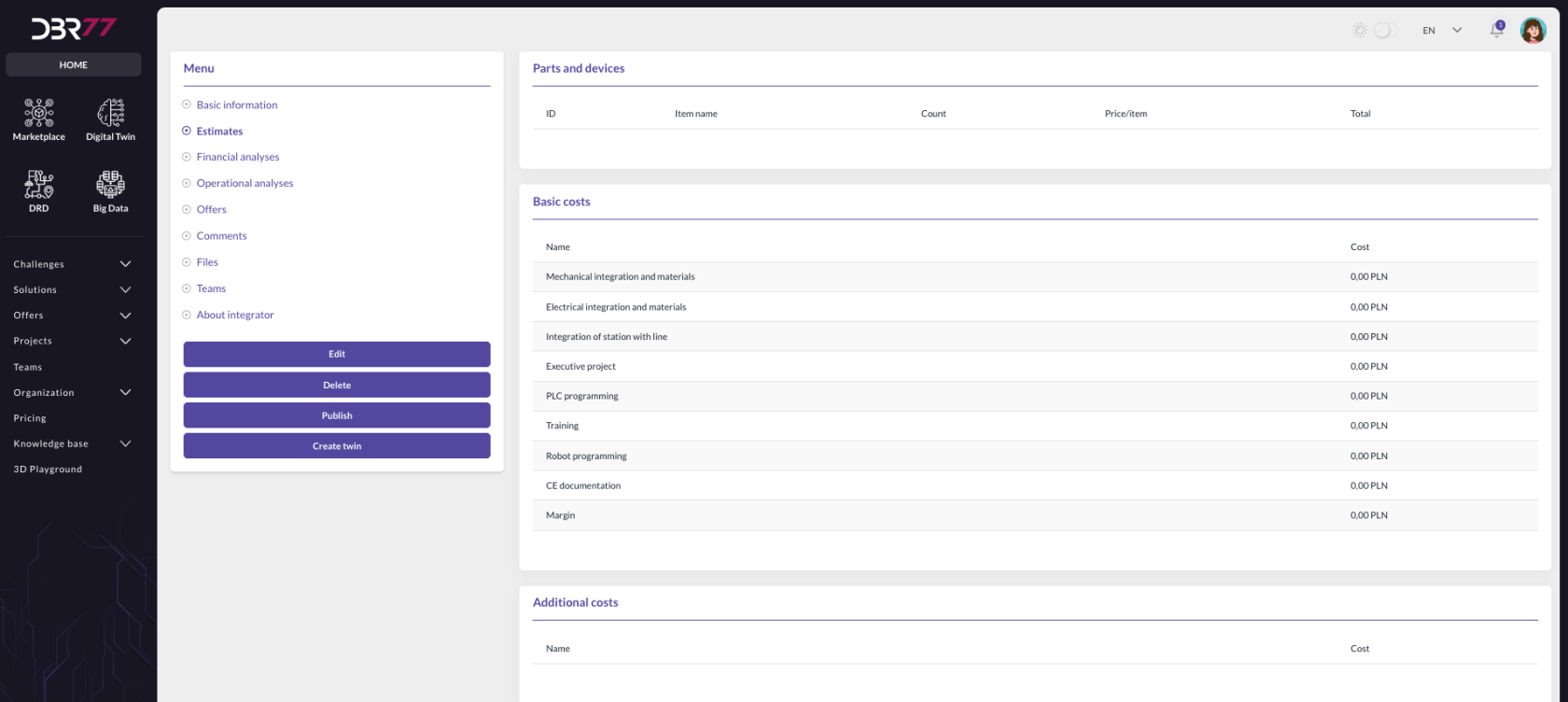
- **Cost Estimate**: Displays all calculations created in the 3D Studio.
[](https://learn.dbr77.com/uploads/images/gallery/2024-09/db0hBh1Iv2CGZMFl-zrzut-ekranu-2024-09-30-o-11-29-00.png)
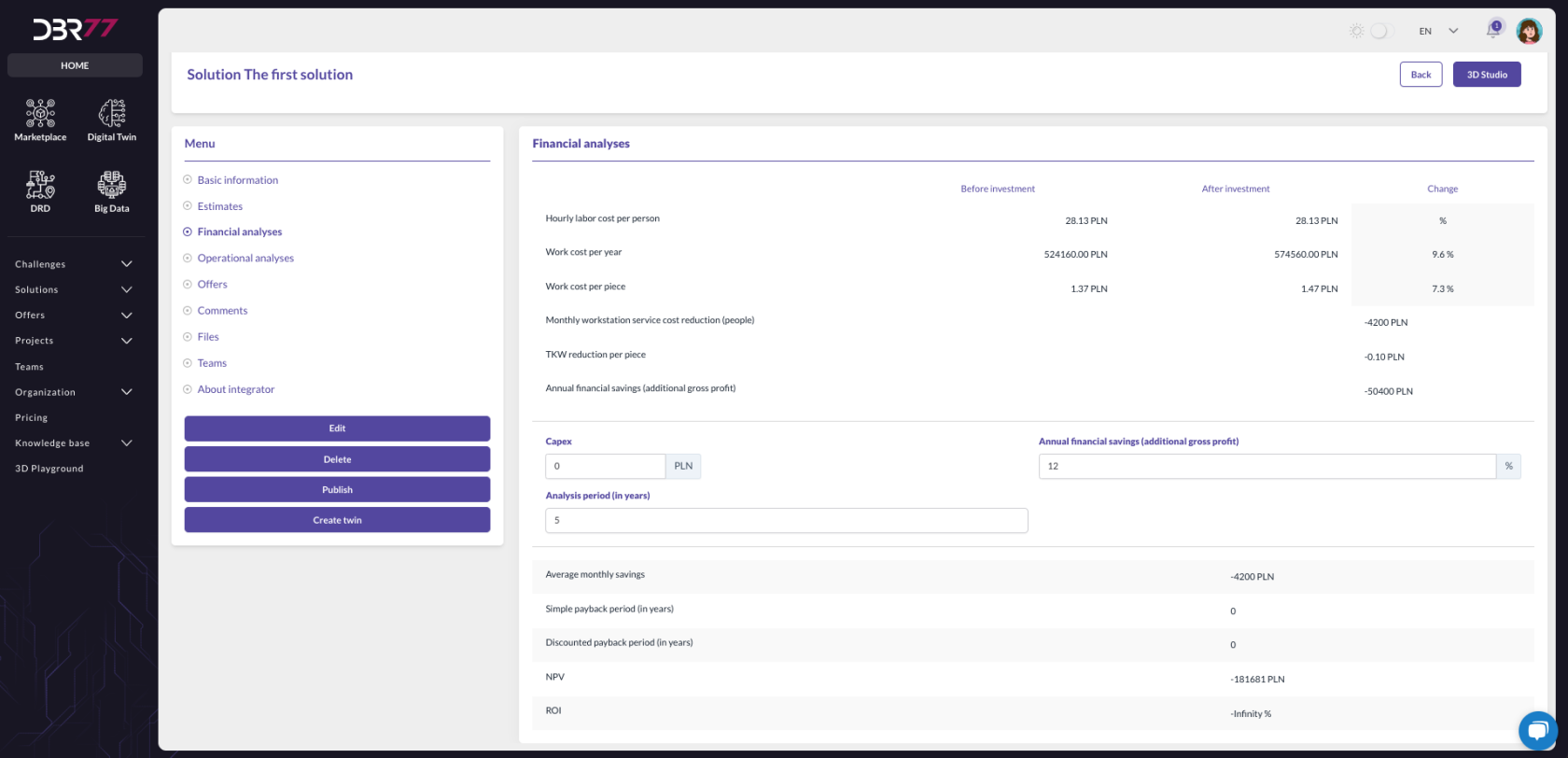
- **Financial Analysis**: Presents a financial analysis based on data from the technological challenge and the solution.
[](https://learn.dbr77.com/uploads/images/gallery/2024-09/uzNFv5ujHrHPJ7KH-zrzut-ekranu-2024-09-30-o-11-29-42.png)
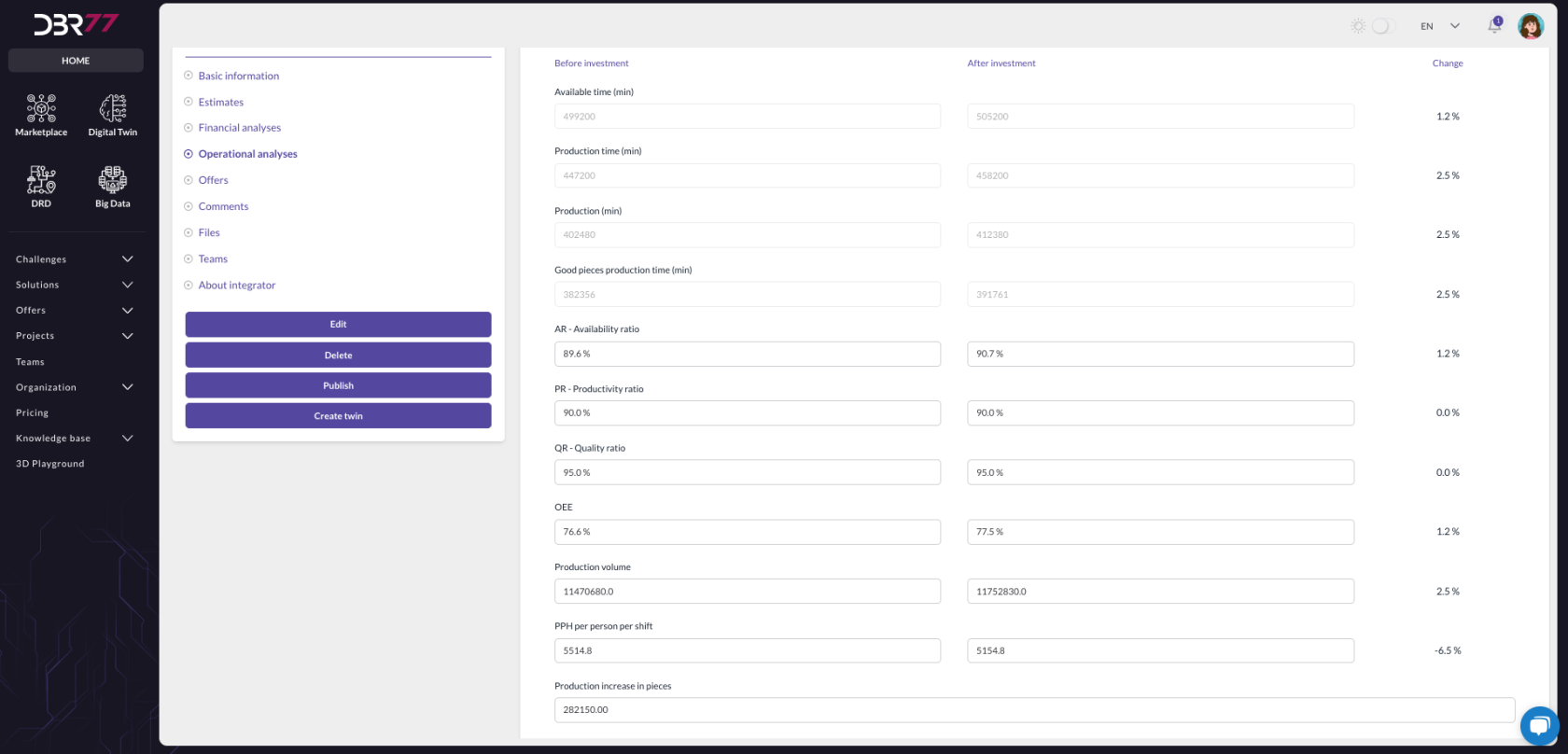
- **Operational Analysis**: Provides an operational analysis based on data from the technological challenge and the solution.
[](https://learn.dbr77.com/uploads/images/gallery/2024-09/hmzRFZaWlLfkTEJP-zrzut-ekranu-2024-09-30-o-11-30-19.png)
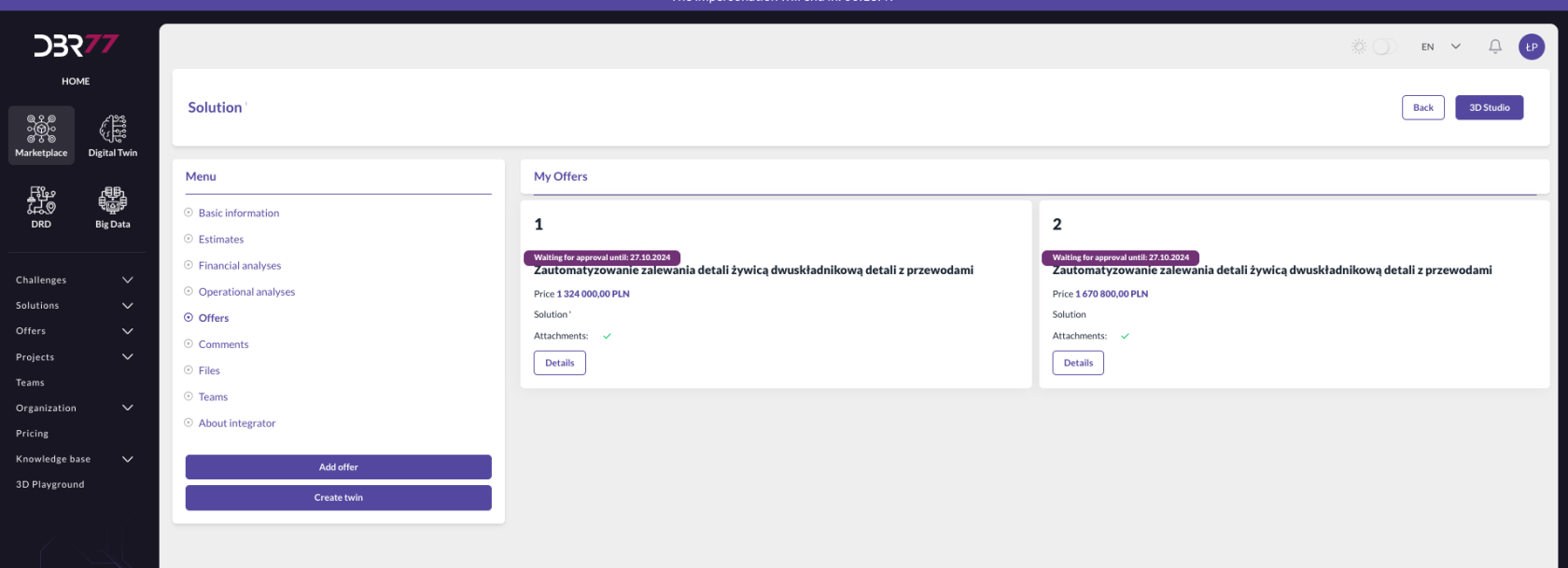
- **Offers**: Lists all offers added to the selected solution.
[](https://learn.dbr77.com/uploads/images/gallery/2024-09/VVzAvESZTJWPQMiC-zrzut-ekranu-2024-09-30-o-11-45-08.png)
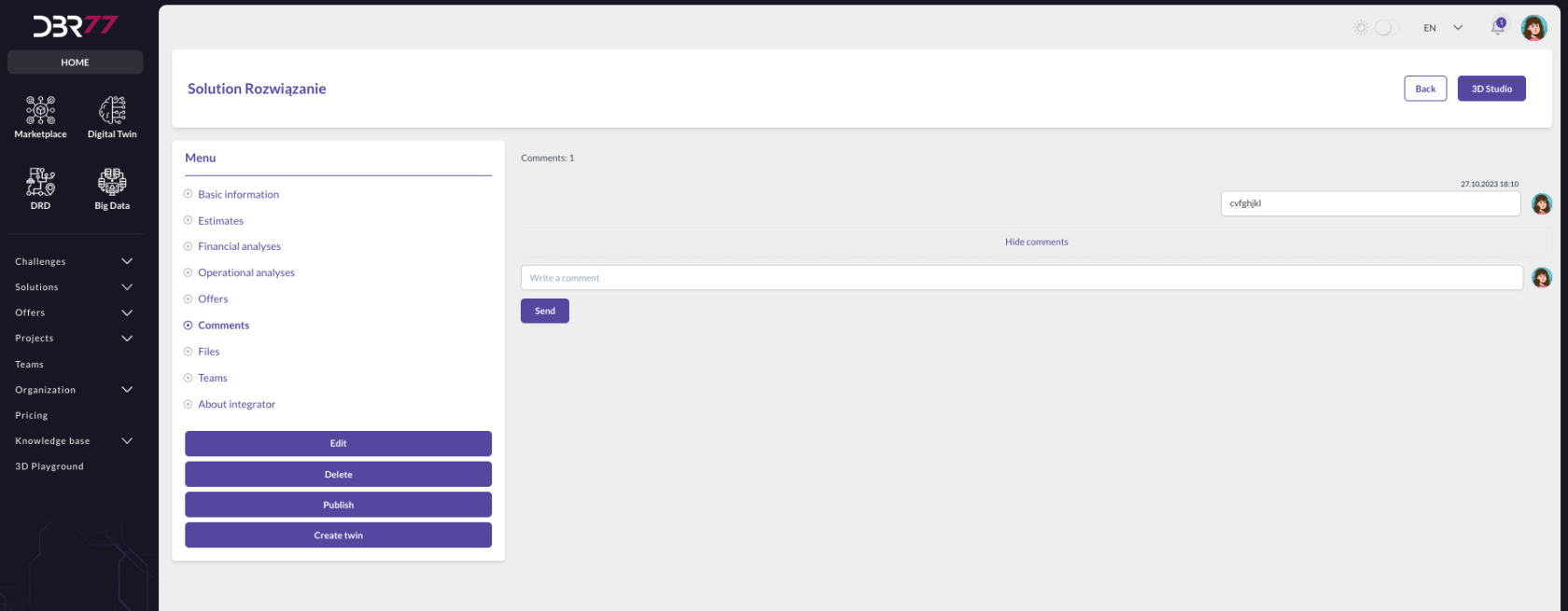
- **Comments**: Shows comments associated with the solution.
[](https://learn.dbr77.com/uploads/images/gallery/2024-09/aw79kGV6UJ9mb056-zrzut-ekranu-2024-09-30-o-12-02-46.png)
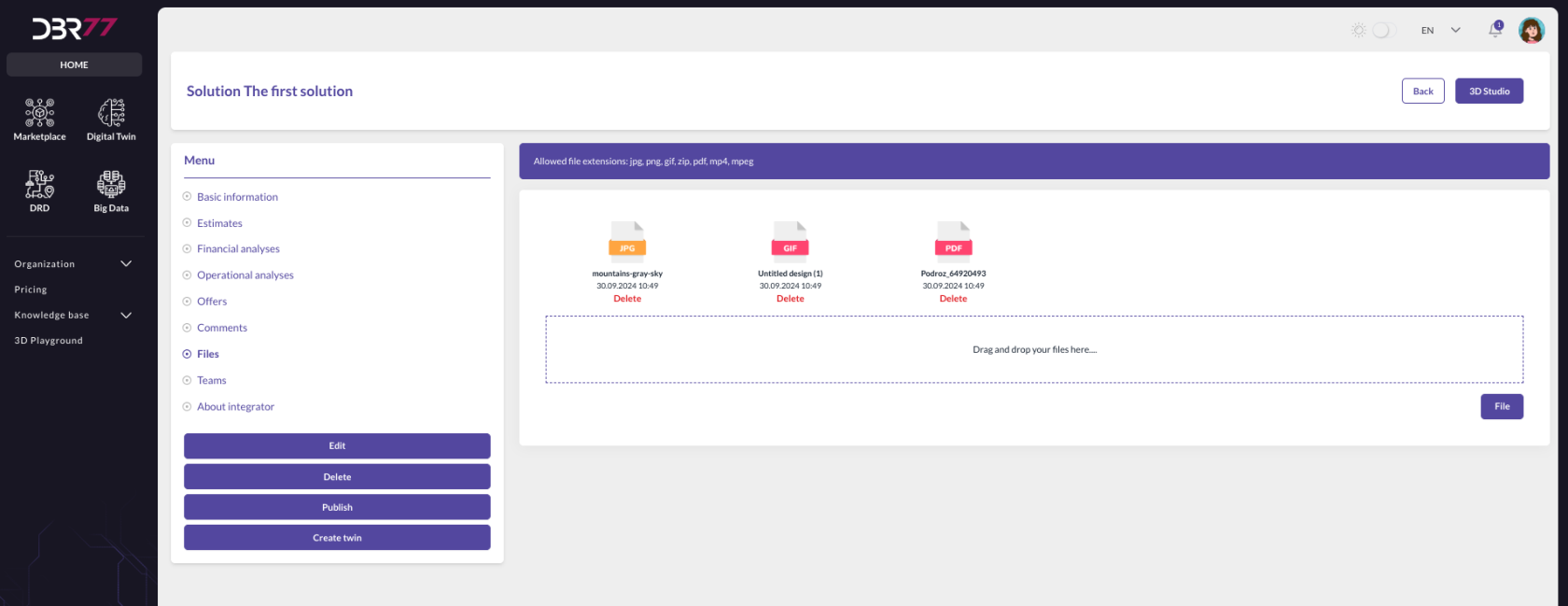
- **Files**: Contains files uploaded by the solution author, which can be added at any time.
[](https://learn.dbr77.com/uploads/images/gallery/2024-09/1InY8o1Qnpws4VmR-zrzut-ekranu-2024-09-30-o-11-32-07.png)
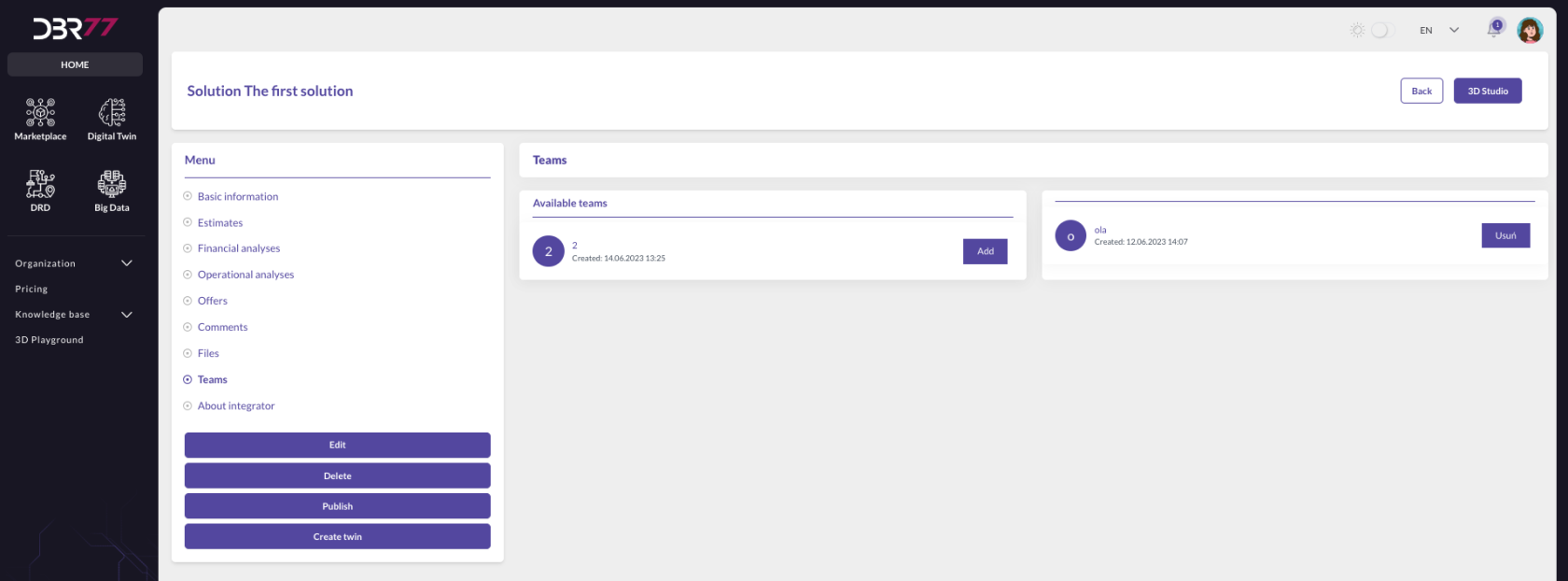
- **Teams**: Allows the addition of teams to the selected solution.
[](https://learn.dbr77.com/uploads/images/gallery/2024-09/K5MNGhpR5Wwz9iRW-zrzut-ekranu-2024-09-30-o-11-32-46.png)
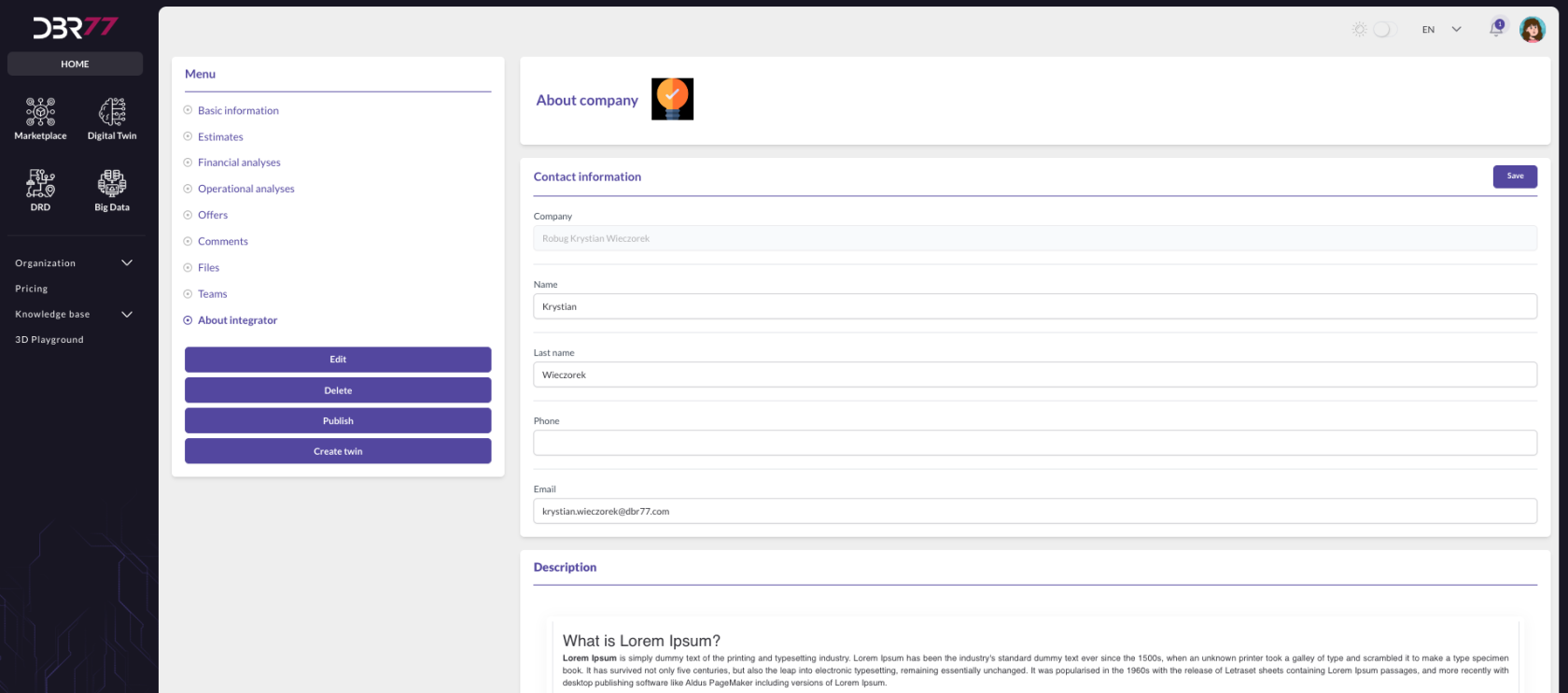
-  **About the Integrator**:Displays the integrator’s portfolio, which can be managed in the **Organizations -> About the Company** section.
[](https://learn.dbr77.com/uploads/images/gallery/2024-09/Wy12j8rrVSNugNbk-zrzut-ekranu-2024-09-30-o-11-33-27.png)
### **Action Buttons**
At the bottom of the screen, several action buttons are available:
- **Edit**:
Enables editing the solution's information.
- **Delete**:
Removes the solution.
- **Publish**:
Makes the solution accessible to other users.
- **Create Twin**:
Generates a digital twin based on the solution.
### **Additional Options**
- **Back Button**:
Located on the right side, it allows returning to the previous screen.
- **3D Studio Button**:
Opens the 3D editor for visualizing and editing the solution.
These features ensure efficient navigation and management of solution details on the DBR77 platform.
# Publishing a Solution
# Accepting a Solution on the DBR77 Platform
### **Navigate to the "Challenges" Tab**
1. 1. **Access the Marketplace**:
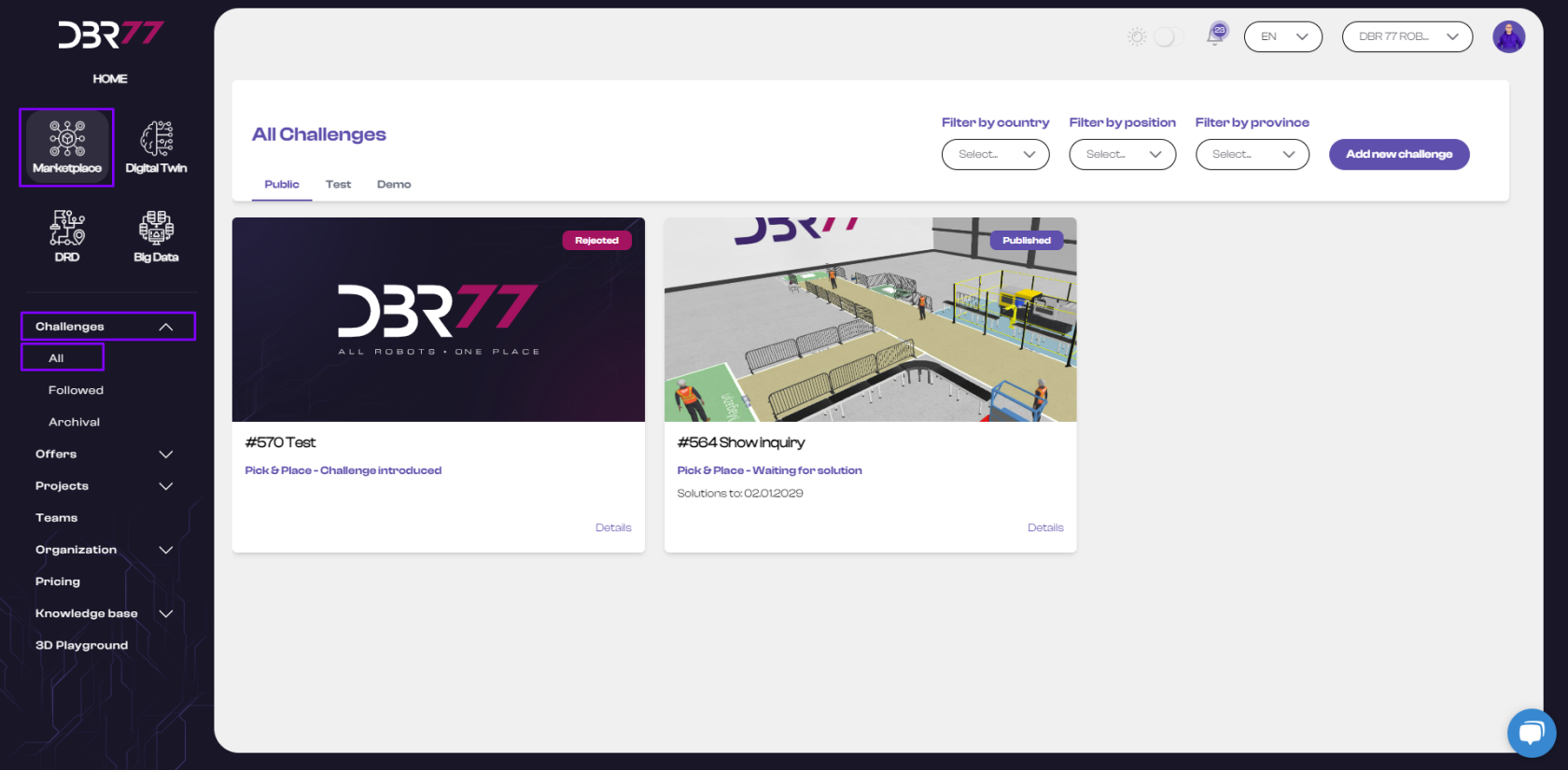
- Open the **"Marketplace"** from the product menu on the DBR77 platform.
- Select the **"Challenges"** tab and click on **"All"**.
[](https://learn.dbr77.com/uploads/images/gallery/2024-07/E0qV9V45b0Xf228H-image.png)
### **Go to Challenge Details**
1. **View Challenge Details**:
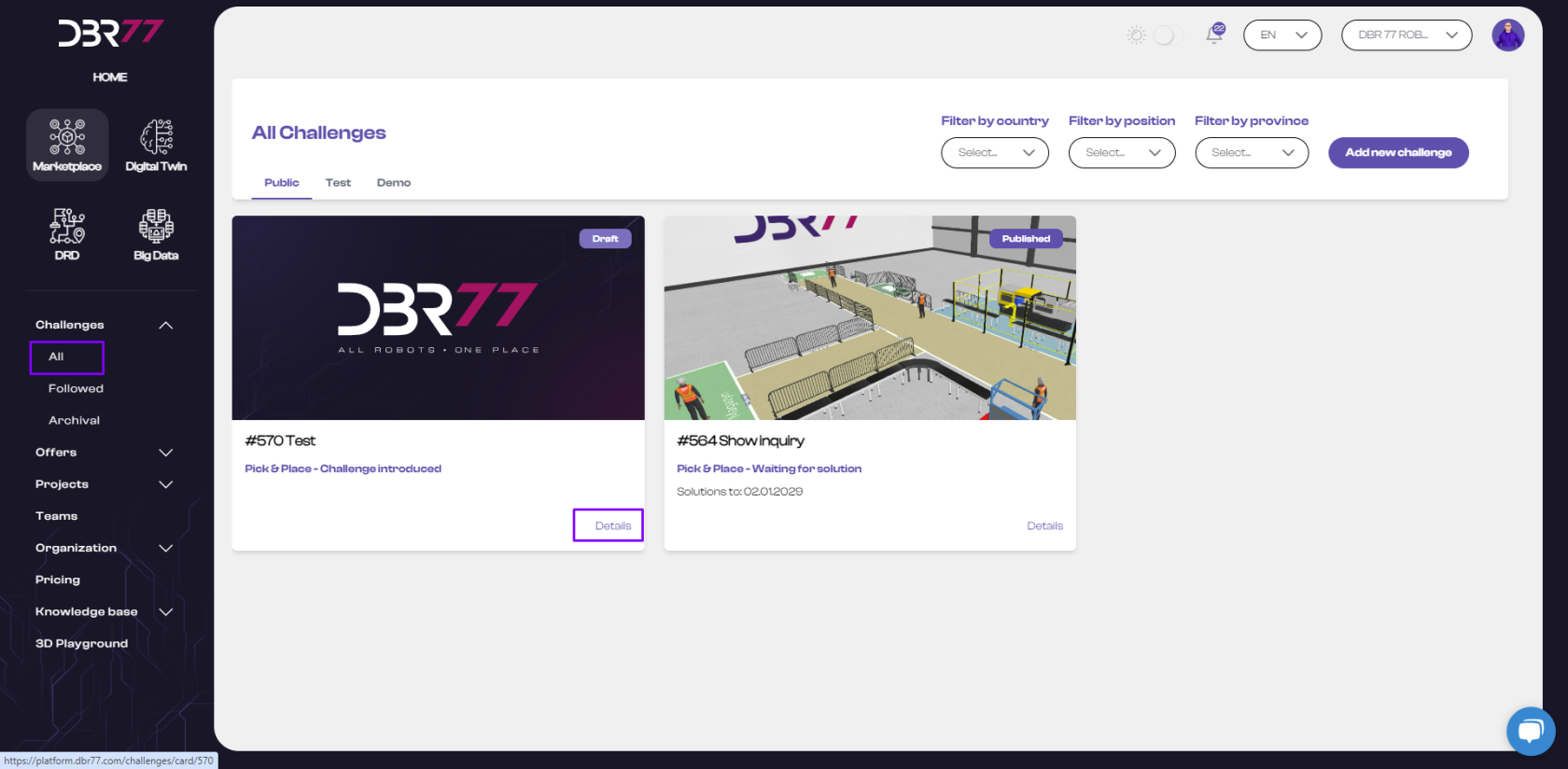
- Locate the challenge associated with the solution you want to accept.
- Open the **details** of the selected challenge.
[](https://learn.dbr77.com/uploads/images/gallery/2024-07/qDPlMOCSts0RxNw3-image.png)
### **Challenge Card**
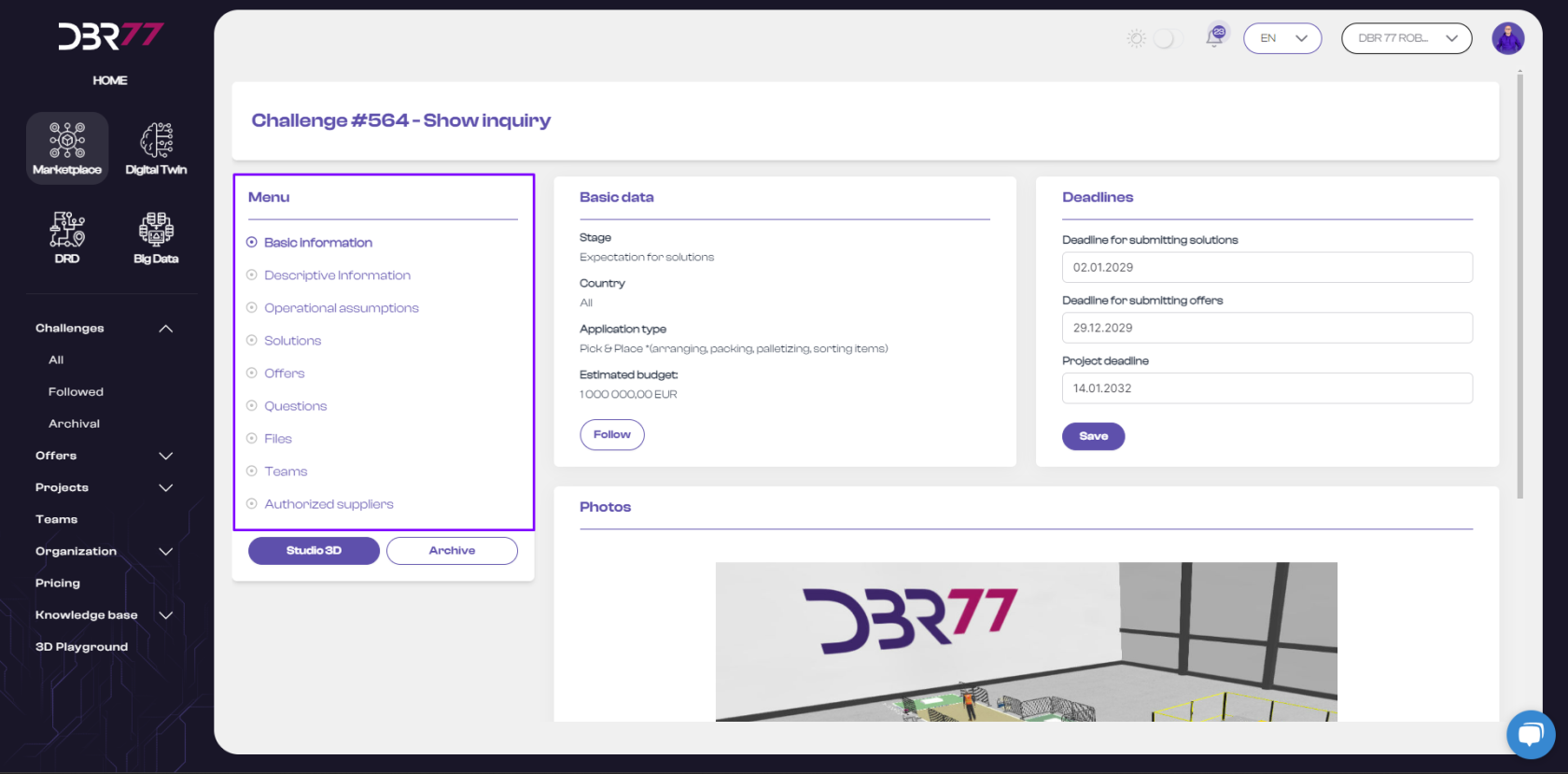
1. **Access the "Solutions" Section**:
- Use the **navigation menu** within the challenge details view.
- Click on the **"Solutions"** tab to see proposals submitted for this challenge.
[](https://learn.dbr77.com/uploads/images/gallery/2024-07/OXW91heI5Cp0aVQL-image.png)
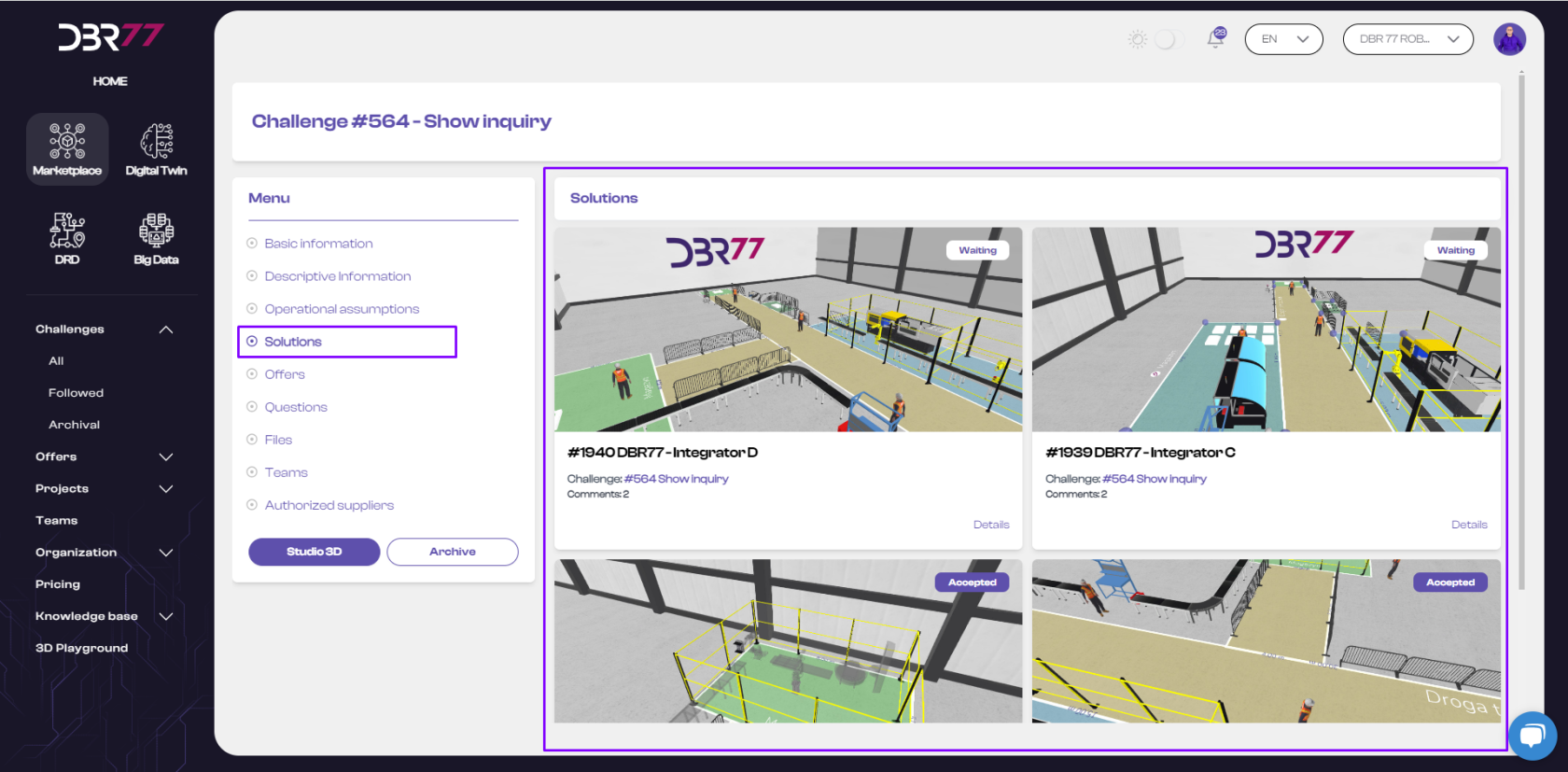
### **Solutions Overview**
- **Description**: This section displays solutions submitted by integrators, including implementation approaches and innovative methods.
- **Investors**: See all solutions submitted to their challenge request.
- **Integrators**: Only have access to their own solutions; solutions are not visible to other integrators.
[](https://learn.dbr77.com/uploads/images/gallery/2024-07/alObBZCCoRxxR3ep-image.png)
### **Accept a Solution**
1. **Open Solution Details**:
- Locate the desired solution and click on **"Details"**.
2. **Accept the Solution**:
- On the solution card, click the **"Accept"** button to confirm the selection.
This process ensures efficient communication and selection of the most suitable solution for your challenge.
# Rejecting a Solution on the DBR77 Platform
### **Navigate to the "Challenges" Tab**
1. **Access the Marketplace**:
- Open the **"Marketplace"** from the product menu on the DBR77 platform.
- Select the **"Challenges"** tab and click on **"All"**.
[](https://learn.dbr77.com/uploads/images/gallery/2024-07/E0qV9V45b0Xf228H-image.png)
### **Go to Challenge Details**
1. **View Challenge Details**:
- Locate the challenge associated with the solution you wish to reject.
- Open the **details** of the selected challenge.
[](https://learn.dbr77.com/uploads/images/gallery/2024-07/qDPlMOCSts0RxNw3-image.png)
### **Challenge Card**
1. **Access the "Solutions" Section**:
- Use the **navigation menu** within the challenge details view.
- Click on the **"Solutions"** tab to view all proposals submitted for the challenge.
[](https://learn.dbr77.com/uploads/images/gallery/2024-07/OXW91heI5Cp0aVQL-image.png)
### **Solutions Overview**
- **Description**: Integrators present solution proposals, including implementation strategies and innovative approaches.
- **Investors**: See all solutions submitted for their challenge request.
- **Integrators**: Only have access to their own solutions, which are not visible to others.
[](https://learn.dbr77.com/uploads/images/gallery/2024-07/alObBZCCoRxxR3ep-image.png)
### **Reject a Solution**
1. **Open Solution Details**:
- Locate the solution you wish to reject and click on **"Details"**.
2. **Reject the Solution**:
- On the solution card, click the **"Reject"** button to decline the proposal.
This process ensures clear communication and proper management of submitted solutions.
# Introduction – Solutions
Solutions on the DBR77 Platform are a key component of its ecosystem, enabling industrial companies to adopt modern technologies for automation and robotics. The platform connects manufacturing companies with integrators, offering a wide range of innovative solutions tailored to specific technological challenges.
---
### **Purpose of Solutions**
- **Addressing Needs**:
Provide companies access to the latest technological solutions that meet their specific challenges.
- **Collaboration with Integrators**:
Enable integrators to present and implement their solutions in manufacturing companies.
- **Process Optimization**:
Facilitate the modernization of production systems and the adoption of new technologies to increase efficiency and competitiveness.
---
### **Key Features**
- **Solution Presentation**:
Integrators can showcase their technological solutions on the DBR77 Platform.
- **Challenge Matching**:
Solutions are matched to the technological challenges reported by manufacturing companies.
- **Expert Support**:
DBR77 experts assist companies in selecting and implementing the most appropriate technologies.
---
### **Benefits of Using Solutions**
- **Access to Advanced Technologies**:
Companies can leverage the latest technological solutions available on the market.
- **Faster Implementation**:
Collaboration with integrators enables rapid adoption of new technologies.
- **Cost Reduction**:
Optimized production processes lead to cost savings and increased efficiency.
---
### **Registration Fee Information**
- **Project Fee**:
The DBR77 Platform charges 5% of the project value from the integrator after a contract for implementation is signed between the Investor and the Integrator.